
The right alert at the right time.
Not every signal requires immediate attention. Vyrex Mobile distinguishes between informational hints, warnings and critical alerts — delivering only what truly matters to the right person.

Was Ihr Team heute sieht
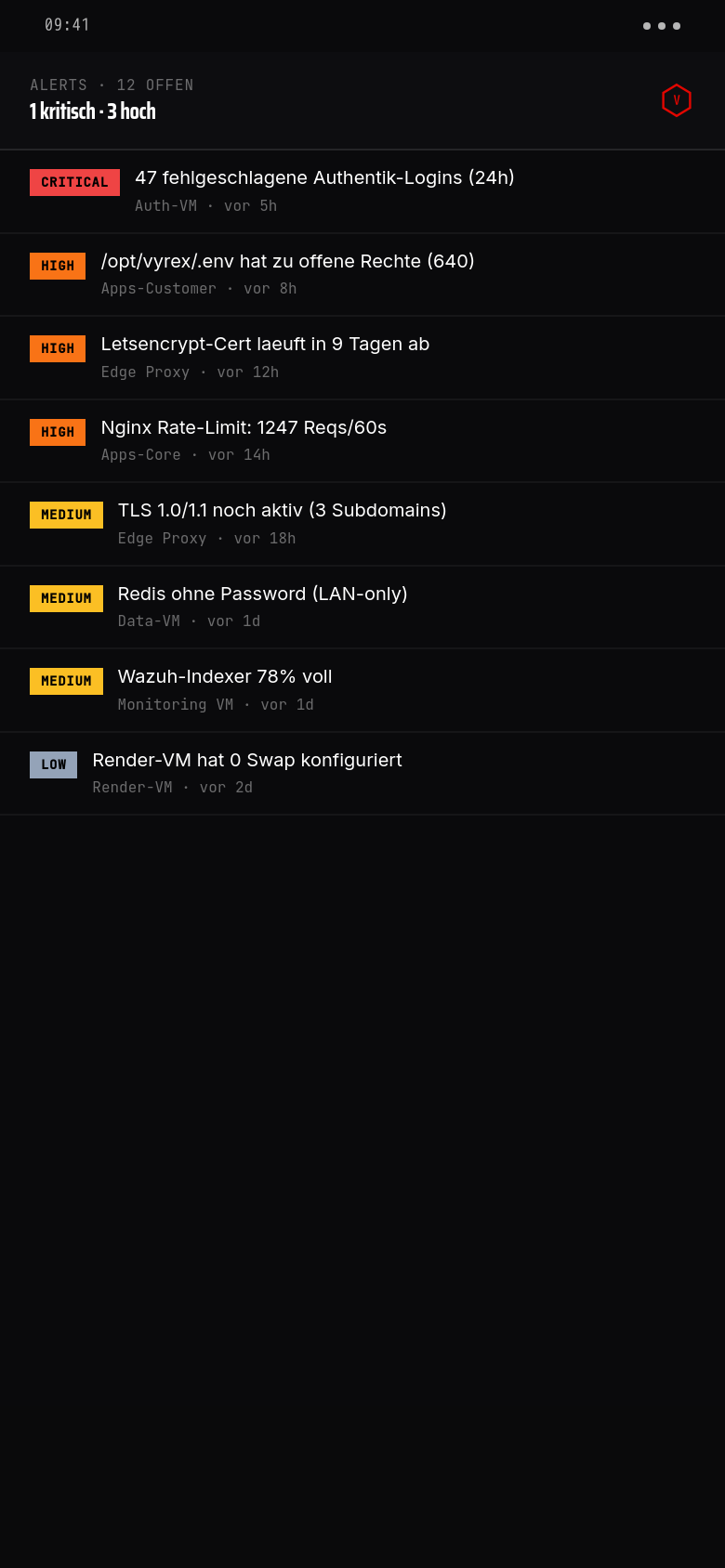
12 offene Findings aus dem Test-Tenant — 1 kritischer Brute-Force-Alert auf Authentik, 3 hohe Befunde (Cert-Ablauf, Rate-Limit-Spike, .env-Permissions), Rest medium/low. Jeder Eintrag ist ein-Tap-Drilldown.
Farb-codierte Severity-Badges. Kritisch (rot), Hoch (orange), Mittel (gelb), Niedrig (grau). Schwellen je Mandant konfigurierbar — Operator entscheidet, ab wann gepusht wird.
Geräte-Bezug auf einen Blick. Jeder Alert zeigt direkt das betroffene Gerät (Auth-VM, Edge Proxy, Apps-Core, …) und das Alter. Kein Kontextwechsel ins Wazuh-UI nötig.
Drilldown öffnet Vyrex-Reasoning. Was hat ausgelöst, welche Devices sind dran, welche Auto-Fix-Maßnahme schlägt Vyrex vor, was sind Vergleichsmuster aus der Knowledge-Base.
What triggers an alert
OS version below minimum
The device is running an OS version that contains known critical CVEs and falls below the defined minimum.
Screen lock disabled
The screen lock has been disabled after enrollment. This commonly affects devices after a factory reset.
Root or jailbreak detected
Indicators of root (Android) or jailbreak (iOS) found. Devices in this state can bypass security controls.
Connection to risky network
The device has connected to an open or known compromised Wi-Fi while business services are active.
Device long-term inactive
No check-in since the configured maximum period. Could indicate a lost device, uninstalled app or technical issue.
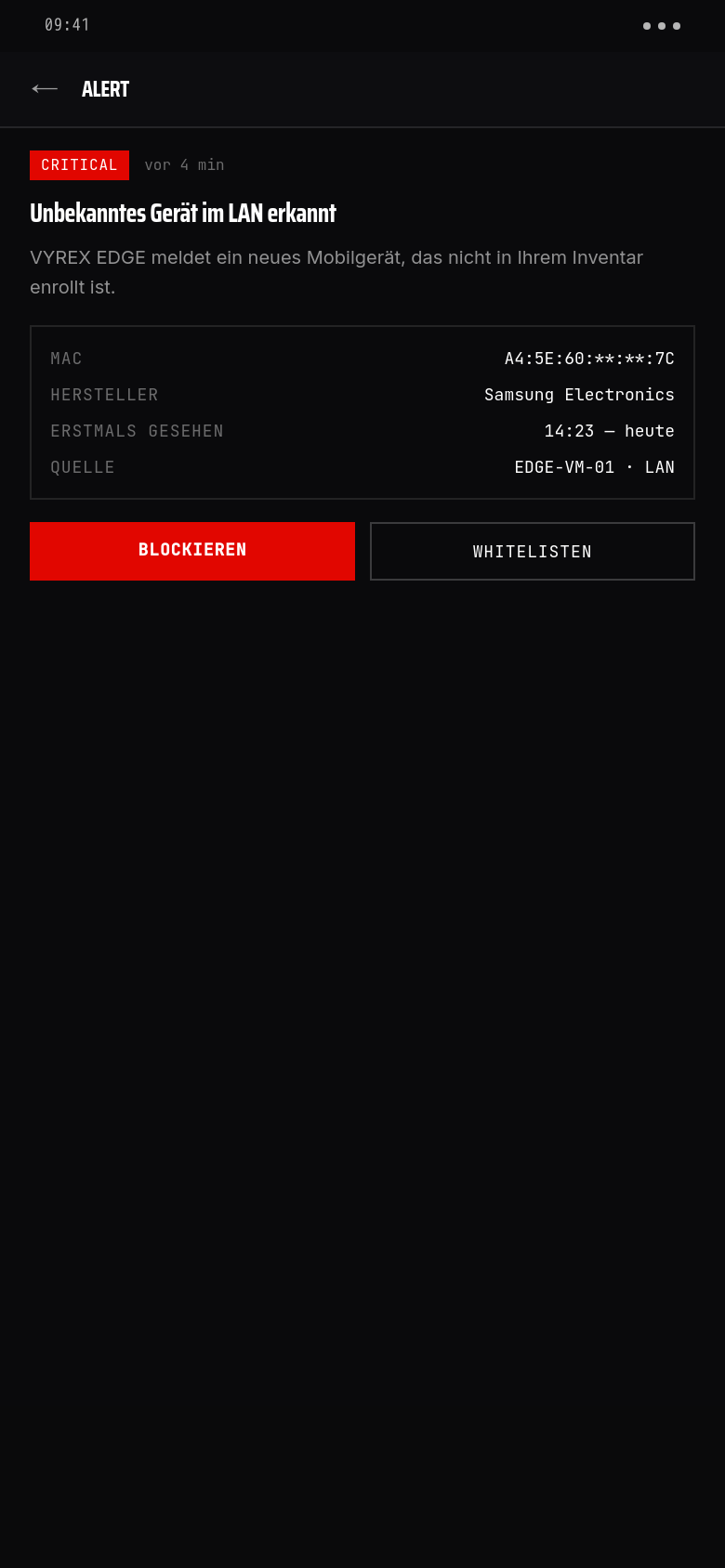
Unknown device in LAN
VYREX EDGE has detected a mobile device in the local network that is not enrolled.
Policy violation
The device no longer meets one or more company policies (e.g. screen lock, OS version, network rule).
Enrollment revoked
An employee has withdrawn consent and uninstalled the app. The device is no longer visible in the portfolio.
Push notifications
Alerts are sent as push notifications to the companion app of the device owner and/or the IT administrator in the portal — depending on the routing configuration.
- →Alerts include context: what was detected, why it is relevant, which action is recommended
- →Device owners only receive alerts about their own device
- →IT staff receive aggregated or individual device alerts depending on configuration
- →Alerts can also be forwarded by email or webhook to external systems
Alert routing
- 01
Capture signal
Companion app or VYREX EDGE delivers a security signal to the Vyrex portal.
- 02
Evaluate
The portal evaluates the signal against configured policies and classifies it as info, warning or critical.
- 03
Determine recipients
Routing rules determine who is notified: device owner, IT team, escalation tier.
- 04
Send alert
Push to the companion app, email to the IT team and/or webhook to external SIEM or ticketing systems.
Notification channels
- Push via the Vyrex Companion App (Android + iOS)
- Email to configured IT contacts
- Webhook to external systems (Jira, Slack, Teams, SIEM)
- Portal inbox: all alerts centralised in the Vyrex customer portal
Häufige Fragen
Can I disable alerts for specific devices or groups?+
Yes. Alerting rules can be configured per device group or user role in the portal. Individual alert types can be disabled or their priority reduced.
What happens if a critical alert is not acknowledged?+
After a configurable period, the alert is automatically escalated — to the next recipient group or by email to the IT administrator.
Can an alert be forwarded to our ticketing system?+
Yes, via the configurable webhook. The format is JSON and contains all relevant metadata of the finding.
Is there an alert history?+
Yes. All sent alerts are stored in the portal with timestamp, recipient, status (delivered, acknowledged, escalated) and comments.